
Getting your hands on a manifest or spreadsheet from a new supplier is an exciting milestone for any Amazon FBA seller. It feels like holding a map to a hidden goldmine. However, once you actually open that spreadsheet, reality hits. You are often stared down by thousands of rows of data, cryptic abbreviations, and endless strings of numbers.
If you do not know exactly what you are looking at, a wholesale price list can be incredibly overwhelming. Worse, misinterpreting a column can lead to a costly sourcing mistake—like ordering products with razor-thin margins or buying items you aren’t actually allowed to sell.
Learning how to efficiently read and analyze a supplier’s inventory sheet is a foundational skill for building a profitable ecommerce business. Let’s break down exactly how to navigate these lists like a seasoned pro so you can confidently spot the winners and skip the risks.
How to Analyze a Wholesale Price List
To read a wholesale price list for Amazon FBA effectively, match the product’s UPC/EAN code against Amazon’s catalog using a scanning tool. Always calculate your true profit by factoring in MOQ (Minimum Order Quantity), shipping fees, and Amazon FBA fees rather than relying solely on the listed cost. Finally, check your account eligibility for the product’s brand and category before placing an order.
Understanding the Anatomy of a Wholesale Catalog
Every distributor has their own way of formatting data, but almost every standard industrial spreadsheet relies on a few universal pillars. When you open a list, your eyes should immediately look for these core columns:
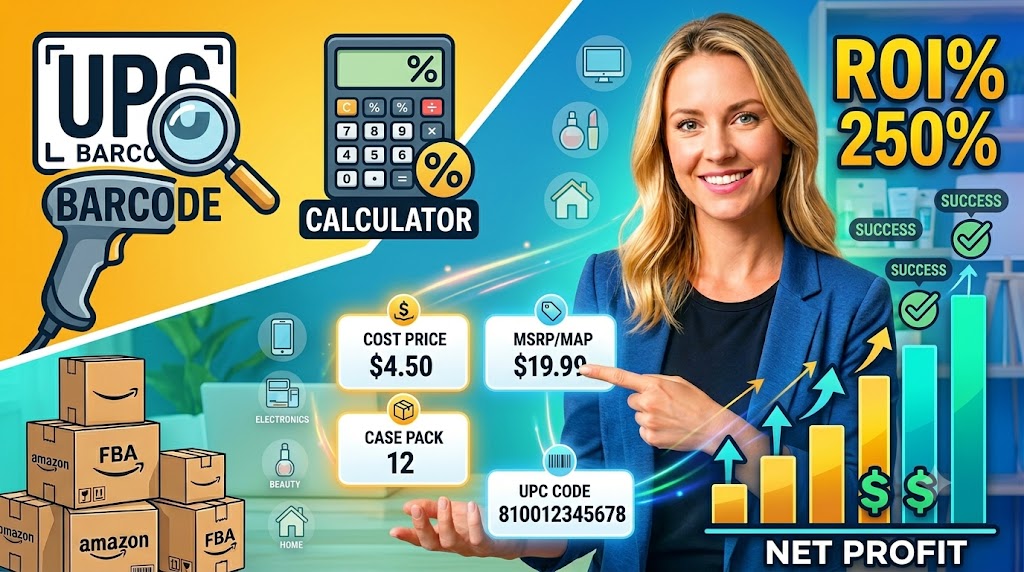
- UPC / EAN (Universal Product Code / European Article Number): This 12- or 13-digit barcode is your anchor. It is the absolute fastest way to match a distributor’s item to the correct Amazon Standard Identification Number (ASIN) on Amazon.
- SKU / Part Number: The distributor’s internal identification code. You will need this to reference specific items when communicating with customer support or placing an official purchase order.
- Wholesale Price / Cost Price: The price per unit you pay before shipping, prep costs, or Amazon fees are applied.
- MSRP / MAP (Manufacturer’s Suggested Retail Price / Minimum Advertised Price): MAP is crucial. It represents the lowest price a brand allows sellers to list their product for. If Amazon’s current buy box is significantly below MAP, it is a major red flag that the listing may face brand enforcement soon.
- MOQ / Case Pack Size: The minimum number of units you must purchase per item or the number of pieces bundled into a single factory box.
Why Sourcing Analysis Matters for Amazon FBA Success
Sourcing products blindly or relying on manual searches for large catalogs is a recipe for burnout. In our previous discussion on Amazon FBA inventory sourcing mistakes to avoid, we highlighted how critical data accuracy is to protecting your hard-earned capital.
Analyzing price lists systematically helps you filter out the noise. A typical catalog from a large distributor might contain 10,000 items, but only 1% to 2% of those items will fit your specific business criteria for sales velocity, profit margins, and competition levels.
By mastering spreadsheet analysis, you save hours of manual searching. More importantly, it helps you identify inventory opportunities that align directly with your budget and risk tolerance.
Step-by-Step Practical Guide to Reading a Price List
If you want to pull practical insights out of a massive list without losing your mind, follow this structured, battle-tested approach:
Step 1: Clean and Filter Your Spreadsheet
Before uploading data into any scanning software, clean up the file. Delete empty rows, remove unnecessary decorative headers, and ensure the UPC column is formatted cleanly as a standard number with no decimals or scientific formatting. You can download our sample spreadsheet format directly through our /stock-list.xlsx file to practice structuring clean data.
Step 2: Use Bulk Scanning Tools
Do not try to copy and paste thousands of barcodes into Amazon one by one. Utilize reliable bulk analysis software (such as Analyzer.Tools, Inventory Labs, or similar scanning applications). These programs take the UPC column, map it directly to Amazon’s API, and return live data fields including current Buy Box price, sales rank, estimated monthly sales volume, and the number of active competitive FBA offers.
Step 3: Run Your Real-World Math
The software provides a baseline, but you need to verify the math yourself. Calculate your actual landed cost using this formula:
$$\text{Landed Cost} = \text{Wholesale Price} + \text{Inbound Shipping Cost} + \text{Prep/Labeling Fees}$$
Subtract your Landed Cost and all applicable Amazon referral and fulfillment fees from the current average Buy Box price to see if the remaining margin meets your internal return on investment (ROI) goals.
Step 4: Verify Your Eligibility (The Ungating Check)
Finding a profitable item is pointless if Amazon won’t let you sell it. Take the matched ASINs and paste them into your Amazon Seller Central “Add a Product” portal to check for brand or category restrictions. If an item is restricted, a legitimate invoice from an authorized source may help support your category or brand approval requests, depending on Amazon’s specific requirements at that time.
Common Sourcing Pitfalls to Steer Clear Of
Even experienced ecommerce business owners occasionally get tripped up by specific spreadsheet details. Keep these common traps on your radar:
- Ignoring Multi-Packs vs. Single Items: Sometimes a distributor sells a product as a “Case Pack of 6” for $12, meaning your cost is $2 per unit. Other times, the listed price is for a single item, but you are required to buy a minimum case. Always clarify whether the price shown represents a single piece or a bundle.
- Forgetting to Factoring In Inbound Shipping: A product that looks like it has a great 15% profit margin can quickly become a break-even or losing item once you add the freight charges required to transport heavy goods from the distributor’s dock to your fulfillment prep center.
- Chasing Highly Volatile Buy Boxes: Never source an inventory line item based purely on a single day’s high price. Look at historical price graphs over a 90-day window to make sure the current retail price isn’t a temporary spike that will crash before your inventory arrives at the FBA warehouse.
Partnering with a Verified Wholesale Distributor
At the end of the day, your data analysis is only as safe as the source supplying it. To build a secure Amazon business, you need accurate, clean product spreadsheets from a verified supplier who understands the specific hurdles of the modern ecommerce ecosystem.
Building a relationship with an established partner ensures you receive authentic products, organized price lists, and the professional paperwork required to protect your business health. Legitimate documentation can help sellers keep better sourcing records, which is vital for long-term operational peace of mind.
If you are eager to skip the guesswork, view our transparent product offerings, and work with a team built to support independent ecommerce businesses, take a look at our About Us page or visit Nations Distributor to explore how we can help you scale your sourcing safely.
Final Thoughts
Reading a wholesale price list efficiently is a superpower for Amazon FBA business owners. Once you look past the dense rows of numbers and focus on organizing your data around clean identifiers like UPCs, the path to finding profitable, high-quality inventory becomes much clearer.
Are you ready to take your product sourcing to the next stage? Contact us today to apply for a wholesale account and get direct access to our verified, clean inventory lists across top-tier consumer categories.
Frequently Asked Questions
1. What do I do if a wholesale price list is missing UPC codes?
If a list only contains internal SKUs or manufacturer part numbers, ask your distributor if a UPC-enabled version is available. Manual matching via product titles is possible but highly prone to errors and mismatched Amazon listings.
2. Can I use a wholesale invoice to get ungated in restricted categories?
An authentic invoice from a verified distributor may help support brand or category approval requests, but requirements vary significantly by category and marketplace. Amazon evaluates accounts on a case-by-case basis. To learn more about utilizing documentation for category approvals, read our comprehensive Amazon ungating guide.
3. How often do wholesale price lists change?
Prices and inventory availability fluctuate frequently based on manufacturer changes, supply chains, and seasonal demand. It is always wise to double-check item availability with your representative before finalizing your internal purchase decisions.
4. What is a good target profit margin when analyzing a price list?
Most established wholesale sellers aim for a net profit margin between 10% and 15% after factoring in all operational costs, inbound shipping, prep, and FBA fees, though targets vary by capital and volume.
5. How do I know if a distributor is safe to buy from?
A legitimate supplier will typically require an active business license or resale certificate, offer verifiable contact methods, and provide clean commercial documentation. For a deeper breakdown of how to vet your business partners safely, see our full guide on how to verify a wholesale distributor.