Amazon FBA Wholesale Distributors

Amazon FBA Wholesale

How National Powersports Distributors Can Boost Your Dealership’s Profits

Running a successful powersports dealership is about more than just a passion for bikes, ATVs, and UTVs; it’s about smart business strategies. In a competitive market, your choice of distribution partner can make the difference between simply surviving and truly thriving. If you’re looking for a reliable way to increase your bottom line, partnering with a dedicated wholesale supplier like National Powersports Distributors is one of the most impactful decisions you can make. Here’s how aligning with Nations Distributor can directly boost your dealership’s profitability. 1. Access to a Vast and Diverse Inventory Customers walk into your dealership looking for specific models, parts, and accessories. If you don’t have what they need, they will quickly find it elsewhere, often turning to online marketplaces like Amazon. This results in a lost sale and a disappointed customer who may not return. National Powersports Distributors acts as your one-stop wholesale supplier, providing access to an extensive inventory from top brands. This means you can stock a wider variety of products—from the latest OEM parts to high-demand aftermarket accessories—ensuring you never have to turn a customer away. By becoming their go-to source, you increase sales and build customer loyalty, preventing them from searching on Amazon for their needs. 2. Competitive Pricing and Better Profit Margins Buying in bulk directly from a major wholesale supplier unlocks significantly better pricing than sourcing from smaller, fragmented distributors. Nations Distributor leverages its large-scale operations to secure the best possible prices from manufacturers, savings that are then passed on to you. This competitive cost price allows you to maintain healthy profit margins on every sale while still offering prices that are attractive to your customers. Even if you choose to price competitively against online giants, your lower acquisition cost from your wholesale supplier means you retain more profit per unit sold compared to dealers without this advantage. 3. Reducing Overhead and Storage Costs Inventory management is a constant balancing act. Too much stock ties up crucial capital and incurs high storage costs. Insufficient stock leads to stockouts and lost sales. National Powersports Distributors helps you optimize this balance. With reliable and fast shipping, you can implement a just-in-time inventory approach. This allows you to place larger, less frequent orders with your wholesale supplier, reducing the amount of capital sitting on your shelves and minimizing warehouse overhead. Efficient inventory turns are a direct driver of profitability, and Nations Distributor provides the supply chain reliability to make it happen. 4. Faster Shipping and Reduced Downtime In the powersports world, downtime is a profit killer. A customer waiting for a critical repair part is a frustrated customer. Slow shipping from your wholesale supplier can delay jobs, stall revenue, and harm your reputation. National Powersports Distributors prioritizes fast and reliable order fulfillment. By ensuring that the parts and accessories you need arrive quickly, you can complete repairs and installations faster. This increases your service department’s throughput, leading to higher revenue and happier customers who appreciate the speedy service. This reliability is something individual sellers on Amazon often cannot guarantee, giving you a significant competitive edge. 5. Expert Support and Knowledge Unlike the anonymous nature of buying from Amazon, partnering with Nations Distributor gives you access to a team of industry experts. This support is invaluable. Their knowledge of products, market trends, and technical specifications can help you make smarter purchasing decisions. You can get advice on which items are selling best in your region, which accessories have the highest markup, and how to bundle products for promotions. This expert guidance helps you stock smarter, not just harder, maximizing the return on every square foot of your showroom. A knowledgeable wholesale supplier is a business partner, not just a vendor. 6. Streamlined Operations and Efficiency Managing multiple vendors is time-consuming and inefficient. Processing orders, tracking shipments, and managing relationships with dozens of smaller suppliers takes your focus away from selling and serving customers. Consolidating your purchases with a primary wholesale supplier like National Powersports Distributors simplifies your entire operation. You have one main point of contact, one streamlined ordering process, and consolidated shipments. This efficiency saves your team countless administrative hours, allowing them to focus on revenue-generating activities like sales and customer service. Conclusion: Partner for Profit While online platforms like Amazon may seem convenient for one-off purchases, they lack the specialized focus, pricing advantages, and partnership approach that a dealership needs to grow sustainably. National Powersports Distributors is more than just a wholesale supplier; we are a strategic partner invested in your success. By providing competitive pricing, vast inventory, fast shipping, and expert support, Nations Distributor gives you the tools to increase sales, reduce costs, and ultimately, significantly boost your dealership’s profits. Q1: What is National Powersports Distributors? A: National Powersports Distributors is a leading wholesale supplier in the powersports industry. We provide dealerships with OEM parts, aftermarket accessories, and gear to help them serve their customers better and grow their profits. Q2: Why shouldn’t I just order parts from Amazon? A: While platforms like Amazon can be convenient for individual consumers, they lack the specialized focus, volume pricing, and dedicated support that a dealership requires. As your dedicated wholesale supplier, we offer competitive bulk pricing, industry expertise, faster shipping on large orders, and a partnership focused on your business’s growth—things Amazon cannot provide. Q3: Do I have to order in large quantities? A: As a wholesale supplier, we primarily focus on bulk orders to provide you with the best possible pricing. However, we understand the needs of growing dealerships. Contact us directly to discuss your specific requirements and we can find a solution that works for you. Q4: How fast is your shipping? A: We prioritize fast and reliable order fulfillment to minimize downtime for your dealership. Exact shipping times depend on your location and the size of the order, but our goal is to get you the products you need as quickly as possible. Q5: Do you offer any dealership support beyond selling products? A: Absolutely. We see ourselves as a strategic partner, not just a vendor. We provide support with inventory management advice, insights on top-selling products, and sales strategies to help you maximize your profitability.

Read More »

Amazon FBA Labeling Guide: FNSKU, Manufacturer Barcode and Box Labels

You have checked your products, counted the wholesale order, and packed everything carefully. Then comes a surprisingly confusing question: which labels belong on the products, and which belong on the shipping boxes? A manufacturer barcode, an FNSKU label, and an FBA box label serve different purposes. Mixing them up can create receiving problems even when the inventory itself is correct. This Amazon FBA labeling guide explains those differences and provides a practical workflow for wholesale sellers. Before printing, confirm the current instructions for your product and marketplace in Seller Central. Amazon FBA labeling identifies both sellable products and inbound shipping boxes. Use the product barcode required by your Seller Central setup: an Amazon barcode, commonly called an FNSKU label, or an eligible manufacturer barcode. Each inbound carton also needs its own FBA box ID label and the applicable carrier label. Product labels and box labels cannot replace each other. Understanding FNSKU, Manufacturer Barcodes and Box Labels What is an FNSKU label? FNSKU stands for Fulfillment Network Stock Keeping Unit. It identifies inventory associated with a seller’s FBA product offering. When Amazon barcode labeling is required, download the correct item labels from your own Seller Central account. These include the barcode and identifying information, such as the product name and condition. An FNSKU differs from an ASIN. An ASIN identifies a product in Amazon’s catalog; an FNSKU supports inventory identification within the fulfillment network. Never copy another seller’s FNSKU, even when the retail packaging looks identical. What is a manufacturer barcode? A manufacturer barcode is an existing product barcode, typically a UPC or EAN, printed on retail packaging. It identifies the product rather than your individual seller offering. Having a valid UPC does not automatically mean you can send inventory to FBA without an Amazon label. Eligibility depends on Amazon’s current rules, the product, marketplace, and seller status. Wholesale resellers should check their own inventory instructions rather than assuming that options available to a brand owner also apply to them. What are FBA box labels? An FBA box ID label identifies a particular carton within your inbound shipment. It connects that carton to the shipment information supplied to Amazon. A carrier label handles transportation and tracking. Small-parcel cartons generally need both. Label What it identifies Where it belongs FNSKU/Amazon barcode Seller-associated FBA inventory Each sellable unit when required Manufacturer barcode The product Retail packaging, when eligible FBA box ID label A specific inbound carton Outside the shipping carton Carrier label The parcel for transportation Outside the shipping carton Why Correct Labeling Matters for Amazon FBA Sellers Labeling connects physical inventory to the information in your account. A readable barcode can still be wrong if it belongs to another size, scent, pack quantity, or condition. Wholesale mistakes can multiply quickly. Fixing one incorrectly labeled test unit is straightforward. Relabeling several cases takes considerably more work. A consistent process helps you: Correct labels do not prove authenticity or replace sourcing documentation. Keep invoices and product records alongside shipment information. Step-by-Step Practical Guide to Amazon FBA Labeling Step 1: Confirm the exact sellable unit Compare the physical product with the listing. Check its brand, model, variation, condition, and quantity included in one customer purchase. A single bottle, a two-pack, and a wholesale case are different selling units. For example, your supplier may deliver 24 bottles in one carton. If your listing sells individual bottles, you have 24 sellable units—not one sellable case. Resolve discrepancies before downloading labels. Step 2: Check the required barcode method Review the barcode and preparation instructions shown for the SKU in Seller Central. Do not rely entirely on an old account preference or previous shipment. Confirm what applies to this inventory now, particularly when reselling another brand’s products. If an Amazon barcode is required, label each sellable unit accordingly. Use the manufacturer barcode only when Amazon permits it for your situation. Resolve unclear requirements through Seller Support before dispatching inventory. Step 3: Download and print item labels Generate labels from your own account for the exact SKU and quantity. Use a supported template and matching printer settings. Print crisp black barcodes on suitable white label stock, preserving their proportions and surrounding blank space. Before printing the full batch: A successful scan confirms readability. You still need to verify that the code identifies the correct inventory. Step 4: Label the prepared product Complete required bagging, wrapping, or boxing before checking final barcode visibility. The product should be scannable without opening its protective packaging. Choose a smooth, accessible surface. Avoid corners, seams, folds, and tight curves that distort the barcode. When applying an Amazon barcode, cover conflicting retail product barcodes as required. Preserve necessary serial numbers, Transparency codes, expiration dates, lot details, and safety information. For physical sets, use the label for the complete selling unit and add the required set marking. Confirm that the set itself complies with applicable listing and category rules. This follows the preparation stage in our guide to preparing fragile, liquid, and bundled products for Amazon FBA: protect the product, then ensure its final packaging remains identifiable. Step 5: Record carton contents accurately As you pack, record the actual quantity of each SKU in every box. Supply that information through the applicable shipment workflow. Your packing sheet should include: Suppose you divide 24 individually sold bottles between two cartons. If Amazon labels are required, each bottle needs its item label. Each carton also needs its own FBA box ID label. The outer box label does not replace the labels on the bottles inside. Step 6: Match box labels to cartons Print box labels after confirming carton assignments and shipment details. Attach each FBA box ID label to its corresponding carton. Never duplicate one carton’s label across the shipment. Position labels on flat surfaces away from openings and edges. Remove or cover obsolete shipping labels on reused cartons, keeping current barcodes unobstructed. For small-parcel shipments, match the carrier label to the same carton. Pallet shipments require the separate pallet-label and freight instructions shown for that shipment. Step

Read More »
How to Prepare Fragile

How to Prepare Fragile, Liquid and Bundled Products for Amazon FBA

Selling through Amazon FBA can simplify fulfilment, but it does not remove the need for careful product preparation. Fragile items can break in transit, liquids can leak, and bundles can be separated or received incorrectly when they are not packed and labelled properly. Each issue can lead to customer complaints, removal orders, extra prep costs, or inventory that cannot be received as expected. For wholesale sellers, preparation begins before cartons reach the prep centre or fulfilment centre. You need the right products, clear invoices, accurate unit counts, and packaging that protects each sellable unit. This guide explains a practical way to prepare fragile, liquid, and bundled inventory for Amazon FBA while keeping your process organised. Quick Answer: To prepare fragile, liquid, and bundled products for Amazon FBA, first confirm the current requirements for the product category and marketplace. Protect fragile items with suitable cushioning and durable outer packaging; secure liquid closures and use leak-resistant packaging; and package bundles as one clearly labelled, sellable unit. Apply the correct barcode and shipment labels, inspect units before shipping, and keep supplier invoices and product records for your sourcing files. What Amazon FBA Product Preparation Means Amazon FBA preparation is the work done before inventory is sent to a fulfilment centre. It can include inspecting products, applying barcodes, bagging or boxing items, adding warning labels, building bundles, and packing cartons for shipment. The exact requirements may vary by category, condition, marketplace, product size, and Amazon’s current policies. The most useful mindset is simple: prepare every unit so it can travel, be received, stored, and shipped to a customer without damage, leakage, confusion, or loss of identity. Do not assume that a manufacturer carton alone is enough. Review the condition of the individual sellable unit and the protection around it. This builds on our guide to case packs versus individual units. Case quantity matters, but so does the condition and preparation of every unit inside that case. Why This Matters for Amazon FBA Sellers Good FBA prep protects both the product and your seller operation. A cracked bottle, broken glass item, or incomplete bundle may create more than one lost sale. It can also create returns, negative feedback, disposal costs, and time-consuming inventory reconciliation. For wholesale sellers, it is especially important because inventory often arrives in larger quantities. A small packing mistake repeated across a case can affect many units. Correct preparation helps you: It also supports a more professional relationship with suppliers. When you understand pack sizes, labelling, and preparation needs, you can communicate clearer purchase requirements. Read our article on building a long-term relationship with a wholesale distributor for practical guidance on creating that kind of working relationship. Step-by-Step: Prepare Products Before Sending Them to FBA Step 1: Check the listing, product category, and current FBA requirements Before opening cartons, verify that the product matches the listing you intend to send. Confirm the ASIN, brand, variation, condition, unit quantity, and whether the item has any category-specific preparation needs. Requirements may vary by category and marketplace, so check Seller Central before every new SKU or shipment. Ask these questions: What is the first step in FBA product prep?The first step is confirming that each physical unit matches the Amazon listing and reviewing the current FBA requirements for that product category and marketplace. Step 2: Inspect each sellable unit Inspect inventory before you label or ship it. Check for crushed retail boxes, broken seals, leakage, missing accessories, incorrect variations, expired or damaged packaging, and mismatched UPCs. If you work with a prep centre, give them a written inspection checklist and ask for photos when a problem is found. Keep a simple record of received quantity, accepted quantity, rejected quantity, SKU, supplier, and issue type. This makes claims or replacements easier to discuss with the supplier and gives you better control over your inventory. Step 3: Prepare fragile products for safe handling Fragile products include glass containers, ceramics, delicate electronics, framed items, and products with breakable parts. The goal is to stop movement and protect vulnerable areas without making the item impossible to identify or scan. For fragile units: Avoid relying on loose paper, weak tape, or damaged manufacturer cartons. If the product can move inside its packaging, it may arrive damaged even if the outer shipping carton looks fine. How should fragile products be prepared for Amazon FBA?Fragile products should be cushioned, immobilised inside durable packaging, securely sealed, and labelled as required. The barcode must remain visible and each unit should be inspected for damage before shipment. Step 4: Prepare liquid products to prevent leaks Liquid products require extra attention because a single leak can damage other inventory in the same carton. Examples include cosmetics, supplements, cleaning products, oils, sauces, and personal-care items. Start by checking the closure. Make sure caps, pumps, lids, droppers, and seals are intact. Where appropriate and permitted, place a protective seal over the opening or secure the closure so it cannot easily open during transit. Place the individual unit in suitable leak-resistant packaging and make sure the product label remains readable. Then inspect the full unit for cracks, swollen containers, residue, or signs of prior leakage. Do not send questionable units simply because the leak appears minor. It may worsen during temperature changes, handling, or transport. When packing cartons, keep liquids upright where practical, avoid excessive weight on top of them, and use dividers or cushioning if the container design needs it. Always confirm current Amazon rules for the type of liquid and its category. Do liquid products need special FBA packaging?Liquid products often need secure closures and leak-resistant protection so spilled contents cannot damage other inventory. Sellers should check the current Amazon requirements for the relevant category before shipping. Step 5: Build and label bundles as one sellable unit A bundle should arrive at Amazon and at the customer’s door as one complete product. If two or more items are sold together under one listing, secure them so they cannot be separated during receiving or fulfilment. Use a

Read More »

Case Packs vs Individual Units: How Wholesale Inventory Is Shipped

When you buy from a wholesale distributor, products are usually shipped in case packs rather than as loose single items. That affects how much inventory you need to purchase, how you prepare products for Amazon, and how you plan replenishment. This guide explains the difference between case packs and individual units, how wholesale inventory is commonly shipped, and what Amazon sellers should check before placing an order. Quick Answer A case pack is a carton containing multiple identical sellable units, such as 12 bottles of the same shampoo. An individual unit is one product that can be sold to a customer. Wholesale distributors commonly ship products in case packs to improve handling, protection, and order efficiency. Amazon FBA sellers may need to open those cases, label each individual unit, and ship the products to Amazon according to the fulfillment plan. Always confirm the case quantity, unit cost, expiration requirements, and Amazon prep needs before ordering. Understanding Case Packs, Individual Units, and Master Cartons A case pack is a standard quantity of the same item packed together by the manufacturer or distributor. For example: If a distributor lists a product at $8 per unit with a case pack of 12, you are generally purchasing 12 units at a time. Your total product cost would be $96 before shipping, taxes, prep, or other fees. An individual unit is the single product a customer receives when they place an order on Amazon. It could be one bottle, one tool, one accessory, or one packaged item. What Is a Master Carton? A master carton is a larger outer box that may hold multiple inner cases. For example, one master carton could contain four cases of 12 units, for a total of 48 sellable units. This matters because wholesalers may ship inventory in master cartons for safer transport and easier warehouse handling. However, Amazon FBA may require you to send inventory in a specific way based on the shipment workflow generated in Seller Central. What Is an Inner Pack? An inner pack is a smaller group of products inside a larger case. For example, a 24-unit case may contain two inner packs of 12 units each. This can make warehouse handling easier, but it does not automatically mean Amazon will accept the inner pack as one sellable item. For Amazon FBA, the key question is usually: “Is each unit individually sellable and properly labeled?” If the answer is yes, each individual product is typically counted as one unit of inventory. Why Case Packs Matter for Amazon FBA Sellers Case packs influence more than the number of products you receive. They affect your cash flow, inventory planning, shipping costs, storage exposure, and ability to test a product safely. 1. They Determine Your Minimum Purchase Quantity Many distributors set a minimum order quantity by case. You may not be able to buy three individual units if the product is only sold in a case of 12. For beginner Amazon sellers, this is important. A product with a low price per unit can still require a larger upfront investment if the case quantity is high. Before placing an order, calculate: This helps you avoid buying more inventory than your budget or sales history can support. 2. They Affect Your Inventory Forecasting Amazon FBA sellers should forecast inventory in units, not only cases. Amazon tracks the number of sellable units available, while your supplier may sell by case quantity. For example, if one case contains 12 units and you expect to sell 36 units per month, you would need approximately three cases for one month of stock. If you want a small buffer for demand changes, you may order four cases instead. This connects closely with our guide on finding the right inventory balance between overstock and understock. The goal is not simply to purchase more inventory. It is to hold a practical amount that supports sales without creating unnecessary storage pressure. 3. They Influence FBA Shipping and Prep A sealed case from a distributor is not always ready to ship directly to Amazon. Depending on the product and your fulfillment plan, you may need to: Amazon’s requirements may vary by category, marketplace, item condition, and product type. Always review the shipment workflow in Seller Central before sending inventory. For a broader look at this process, read our Amazon FBA shipping and preparation guide for wholesale inventory. Case Packs vs Individual Units: A Practical Comparison Factor Case Packs Individual Units Purchase method Bought in fixed quantities Bought one at a time Common wholesale use Very common Less common Cost per unit Often more competitive May be higher Upfront investment Usually higher Usually lower Inventory control Requires careful planning Easier to test in small quantities FBA preparation May require case opening and unit labeling Each unit is handled separately Best for Consistent sellers and planned replenishment Samples, testing, or special arrangements For most wholesale Amazon businesses, case packs are normal. The real skill is learning how to evaluate the case quantity before committing your capital. Step-by-Step: How to Handle Wholesale Case Packs for Amazon FBA Step 1: Confirm the Exact Case Quantity Never assume that “one case” means 12 units. Case sizes vary by brand and product. Ask the distributor for: A simple confirmation before ordering can prevent expensive mistakes. Step 2: Check Whether Each Unit Is Amazon-Ready Each unit should normally have a scannable barcode and packaging that is suitable for the end customer. You should also confirm whether the listing requires an Amazon FNSKU label over the manufacturer barcode. If a case contains 12 individual products, do not assume the outer carton barcode is enough. In many situations, Amazon needs each sellable unit to be identifiable. Step 3: Confirm Whether You Are Selling Singles or Bundles This is one of the most common areas of confusion. Suppose you receive a case of 12 identical bottles. You may sell: If you create a bundle, it must be packaged and labeled correctly as one sellable product. You should not

Read More »
Amazon FBA Shipping and Preparation Guide for Wholesale Inventory

Amazon FBA Shipping and Preparation Guide for Wholesale Inventory

Introduction Buying authentic products from a wholesale distributor is an important first step for Amazon FBA sellers—but it is only one part of the process. Your inventory still needs to arrive at Amazon in the right condition, with the right labels, documentation, packaging, and shipment plan. A small preparation mistake can create delays, unexpected prep fees, receiving problems, or inventory that cannot be sold immediately. For wholesale sellers handling multiple SKUs, cartons, and brands, a repeatable shipping process helps protect both cash flow and account health. This guide explains how to prepare and ship wholesale inventory to Amazon FBA in a practical, easy-to-follow way. It is especially useful for newer wholesale sellers who want to build a more organized process without making expensive avoidable mistakes. Quick Answer To ship wholesale inventory to Amazon FBA, first confirm that the product is eligible to sell, create a shipment plan in Seller Central, prepare each unit according to Amazon’s packaging and labeling rules, pack products into accurate cartons, and send them to the assigned fulfillment center. Keep supplier invoices, product details, carton counts, and tracking information organized. Requirements may vary by category, product type, and marketplace, so always review the instructions shown in your Seller Central shipment workflow before dispatching inventory. What Does Amazon FBA Shipping and Preparation Mean? Amazon FBA shipping and preparation is the process of getting inventory ready for Amazon’s fulfillment centers. Once Amazon receives the products, it stores them, picks and packs orders, handles delivery, and often manages customer service and returns. For wholesale sellers, this process usually includes: It sounds simple, but wholesale inventory can become complicated quickly. A shipment may include different brands, products with different prep rules, fragile items, expiration-dated products, and multiple destination warehouses. The goal is not only to get products delivered. The goal is to get them checked in accurately and available for sale with minimal delays. Why Amazon FBA Shipping and Preparation Matters for Wholesale Sellers Wholesale selling depends heavily on planning. You may buy inventory in larger quantities than a typical retail arbitrage seller, which means a shipping issue can affect a bigger amount of capital. Good FBA preparation matters because it can help you: This is closely connected to inventory planning. If you recently read our guides on Amazon FBA inventory forecasting and finding the right balance between overstock and understock, the next practical step is making sure the inventory you decide to order is shipped correctly and reaches Amazon ready to sell. Poor shipment preparation can undermine an otherwise good sourcing decision. For example, a profitable product may lose margin if it arrives damaged, is sent with inaccurate carton details, or requires unplanned corrections. Step-by-Step Guide to Shipping Wholesale Inventory to Amazon FBA 1. Confirm You Can Sell the Product Before Ordering Before you create an FBA shipment, confirm that you can list and sell the product through your Amazon account. Some brands or categories may have restrictions, and requirements can change. Review the product listing in Seller Central and check for any alerts, approvals, or documentation requests. If Amazon asks for invoices or other sourcing documentation, accurate records from a legitimate supplier may help support approval requests, depending on Amazon’s requirements. When sourcing wholesale inventory, keep these details for every order: These records can help sellers keep better sourcing records and understand where their inventory came from. 2. Inspect Inventory When It Arrives Do not assume that every carton received from a supplier is ready to send directly to Amazon. Inspect the inventory first, especially when you are working with a supplier for the first time or ordering a new product. Check for: For products that have expiration dates, review Amazon’s current requirements carefully. These products often need clear date labels and may have minimum remaining shelf-life standards. A simple inspection process before shipment can save time later. Take photos of damaged cartons or product issues, and contact the supplier promptly if something does not match the purchase order. 3. Create the FBA Shipment Plan in Seller Central After confirming your products are ready, create a shipment plan in Seller Central. Amazon will guide you through the shipment workflow, including product quantities, preparation requirements, label preferences, and destination fulfillment center details. During this stage, make sure you enter the correct number of units. Inaccurate quantities can create receiving issues and make it harder to reconcile inventory later. Amazon may also provide preparation instructions based on the product type. For example, some items may need: Always follow the instructions displayed for your exact SKU. Do not rely only on what worked for a previous product, because FBA prep requirements may vary by category and marketplace. 4. Label Every Unit Correctly Many wholesale sellers use Amazon’s FNSKU labels so Amazon can identify inventory as belonging to their seller account. In some cases, manufacturer barcodes may be accepted, but you should confirm which barcode option applies to your listing. Each sellable unit should have one scannable barcode. If there are multiple barcodes on the package, make sure the barcode Amazon should scan is visible and any conflicting barcode is covered where required. A good labeling checklist includes: For larger wholesale orders, it is worth using a simple SKU checklist or spreadsheet. Mark each product as inspected, labeled, packed, and shipped. This keeps the process controlled when several products are being handled at once. 5. Prepare Products for Safe Handling Amazon fulfillment centers receive and move inventory through a large operational network. Products need to be packed so they can safely travel, be stored, and be fulfilled to customers. Use the right type of protection for the item. Fragile glass products may need bubble wrap, while loose accessories might need a sealed poly bag. Products sold as sets should be clearly marked so they are not separated during handling. Useful preparation practices include: Avoid overpacking products unnecessarily. The aim is safe, compliant, and efficient preparation—not adding extra materials that increase cost and carton weight. 6. Pack Cartons Carefully and Record Their

Read More »
Overstock vs Understock

Overstock vs Understock: Finding the Right Inventory Balance

Managing inventory can feel like walking a tightrope. Order too much, and your cash becomes tied up in products that may sit in storage for months. Order too little, and you risk running out of stock just when customer demand begins to increase. For Amazon FBA wholesale sellers, neither overstock nor understock is simply a warehouse problem. Both can affect cash flow, profitability, advertising decisions, purchasing capacity, and the overall stability of the business. The goal is not to predict demand perfectly. It is to build a practical inventory system that helps you order the right amount at the right time while leaving enough flexibility for unexpected changes. Quick Answer: How Can Amazon Sellers Balance Overstock and Understock? Amazon FBA sellers can balance overstock and understock by tracking sales velocity, calculating realistic lead times, setting SKU-specific reorder points, maintaining appropriate safety stock, and reviewing profitability before placing a wholesale order. A balanced inventory strategy should include: The ideal inventory level is different for every product. Fast-moving items with stable demand may justify deeper inventory, while new, seasonal, or unpredictable products may require smaller test orders. What Is the Difference Between Overstock and Understock? Overstock occurs when a seller holds more inventory than can reasonably be sold within the planned period. Understock occurs when the available inventory is too low to meet expected customer demand. Both conditions usually result from a mismatch between purchasing decisions and actual sales. What Is Overstock? Overstock is excess inventory that remains unsold longer than expected. It may develop when a seller overestimates demand, reacts too strongly to a temporary sales increase, or purchases a large quantity to secure a lower unit cost. Common signs of overstock include: Overstock does not always mean a product is unprofitable. However, the longer inventory remains unsold, the greater the exposure to storage costs, price changes, competition, returns, and changing customer preferences. What Is Understock? Understock means there are not enough available units to meet expected demand. A seller may still have some inventory, but the remaining quantity is unlikely to last until the next shipment becomes sellable. Understock often results from: Understock can eventually become a complete stockout. Our previous guide explains how to prevent Amazon FBA stockouts during high-demand periods by using sales velocity, reorder points, lead times, and safety stock. This article takes the next step by showing how to avoid solving the stockout problem with excessive inventory. Why Inventory Balance Matters for Amazon FBA Sellers Inventory balance affects much more than the number of units stored at Amazon. It influences almost every financial and operational part of a wholesale business. Overstock Locks Up Working Capital Every unsold unit represents cash that cannot currently be used elsewhere. If too much money is tied up in a slow-moving product, you may be unable to reorder a faster or more profitable SKU. A discounted bulk price can look attractive, but a lower unit cost does not automatically make a large order a better investment. Inventory must sell at a suitable price and within a reasonable period for that discount to create real value. Understock Can Interrupt Sales Momentum When inventory becomes unavailable, customers may buy from another seller. Advertising campaigns may also lose momentum because an unavailable offer cannot convert traffic into sales. After restocking, it may take time for the product to return to its previous sales pattern. This is why sellers should reorder before inventory reaches a critical level. Excess Inventory Can Increase Cost Exposure Inventory stored for longer periods may create additional expenses and risks, including: Before sending additional units to Amazon, sellers should check current FBA fees and inventory policies for their marketplace because requirements and charges can change. Poor Stock Planning Can Affect Account Decisions Urgent inventory shortages sometimes push sellers toward unfamiliar or unverified suppliers. That may lead to incomplete invoices, uncertain product origins, or inconsistent business information. Maintaining accurate sourcing records can help sellers respond more clearly if Amazon requests information about a product or supplier. Documentation does not guarantee approval, ungating, or acceptance, and requirements may vary by category, marketplace, product, and seller account. Step-by-Step Guide to Finding the Right Inventory Balance 1. Calculate Average Sales Velocity Begin by calculating how quickly each product sells. Average daily sales = Units sold during a period ÷ Number of days For example, if a product sold 240 units over 30 days: 240 ÷ 30 = 8 units per day Do not rely only on the previous seven days. Compare several periods: Short-term data reflects recent momentum, while longer-term data shows whether that momentum is consistent. 2. Measure Your Weeks of Cover Weeks of cover estimates how long your available inventory will last at the current sales rate. Weeks of cover = Available inventory ÷ Average weekly sales If you have 360 available units and sell 90 units per week, you have approximately four weeks of cover. This metric makes it easier to compare multiple products. A seller can quickly identify which SKUs have excessive coverage and which may need to be reordered soon. However, weeks of cover must be interpreted alongside lead time. Four weeks of inventory may be sufficient for a product that can be replenished in ten days, but risky for a product that requires six weeks. 3. Calculate the Complete Replenishment Lead Time Lead time is not limited to supplier shipping. It should cover the entire period from deciding to reorder until the inventory becomes available for purchase on Amazon. Include time for: Use a realistic average rather than the fastest shipment you have ever received. Reviewing your actual order history can produce a more reliable estimate. 4. Set a Reorder Point for Each SKU A reorder point tells you when to place the next purchase order. Reorder point = Average daily sales × Total lead time + Safety stock Suppose a product sells eight units per day, requires 24 days to become sellable, and has 48 units of safety stock: 8 × 24 + 48 = 240 units

Read More »
Amazon FBA Inventory Forecasting

Amazon FBA Inventory Forecasting: Using Sales Data to Plan Orders

Inventory decisions can make or break an Amazon FBA business. Order too little, and a fast-selling product may go out of stock before your next shipment arrives. Order too much, and valuable capital can become tied up in products that take months to sell. The answer is not to guess which products will perform well. It is to build a simple Amazon FBA inventory forecasting process based on actual sales data, supplier lead times, seasonality, and realistic demand. Whether you are placing your first wholesale order or managing several established ASINs, a reliable forecast can help you decide when to reorder, how many units to buy, and how much safety stock to maintain. Quick Answer Amazon FBA inventory forecasting is the process of estimating future product demand using historical sales, current sales velocity, supplier lead time, seasonality, promotions, and available inventory. A basic reorder point can be calculated with this formula: Reorder Point = Expected Sales During Lead Time + Safety Stock For example, if a product sells 10 units per day, takes 30 days to replenish, and requires 100 units of safety stock, the reorder point would be: (10 × 30) + 100 = 400 units This means you should consider placing your next order when your usable and confirmed inbound inventory falls to approximately 400 units. What Is Amazon FBA Inventory Forecasting? Amazon FBA inventory forecasting means using past and present sales information to estimate how many units customers are likely to purchase during a future period. A forecast does not predict demand with complete certainty. Instead, it gives you a practical purchasing range based on the information available today. An effective forecast usually considers: These factors help sellers move away from emotional buying. Instead of ordering a large quantity because a product “looks promising,” you can calculate whether the expected demand supports the investment. Sales Velocity Is the Starting Point Sales velocity shows how quickly a product is selling over a specific period. A simple calculation is: Average Daily Sales = Units Sold ÷ In-Stock Selling Days If you sold 360 units during 30 days in which the product was available, your average daily sales would be 12 units. Use in-stock days rather than total calendar days. If the product was unavailable for ten days, including those days would reduce the average and create an inaccurate forecast. Why Inventory Forecasting Matters for Amazon FBA Sellers Amazon FBA sellers operate between two costly risks: having too much inventory and having too little. It Helps Reduce Stockout Risk When an item goes out of stock, you may lose sales while waiting for a restock. A long interruption can also affect advertising efficiency and the product’s recent sales momentum. If high-demand periods are a concern, our guide on preventing Amazon FBA stockouts during high-demand periods explains how lead-time planning, safety stock, and early supplier communication work together. It Protects Working Capital Every unsold unit represents money that cannot currently be used for another order, operating costs, advertising, or a stronger opportunity. Forecasting helps you buy according to expected demand instead of filling an order with more inventory than the business can reasonably sell. This is especially important for beginners. Before building a forecast, new sellers may also want to review how much wholesale inventory a new Amazon seller should buy. It Supports More Consistent Purchasing A documented forecast makes supplier orders easier to plan. You know approximately when inventory will reach its reorder point, so you can request updated pricing, confirm availability, arrange payment, and prepare shipping before the situation becomes urgent. It Improves Product-Level Decisions Forecasting should be performed at the ASIN or SKU level. Two products in the same category may have completely different demand patterns, margins, competition, and replenishment schedules. Product-level analysis helps you identify: Step-by-Step Amazon FBA Inventory Forecasting Guide Step 1: Collect Reliable Sales Data Begin with your Amazon sales and inventory reports. Depending on the marketplace and account tools available, gather data covering at least the recent 30, 60, and 90-day periods. For each product, record: Looking at more than one period gives you a clearer view. A 30-day average reflects recent demand, while a 90-day average helps prevent a temporary sales spike from controlling the entire forecast. Step 2: Clean the Data Before Using It Raw sales numbers can be misleading. Check whether sales were influenced by: Suppose a product sold 20 units per day during a short promotion but usually sells eight. Forecasting future orders at 20 units per day could result in excess stock once the promotion ends. The goal is not to remove every unusual event. It is to understand why the numbers changed and decide whether the change is likely to continue. Step 3: Calculate Average Daily Sales Use the following formula: Average Daily Sales = Units Sold ÷ In-Stock Days For example: You can also calculate separate averages for 30, 60, and 90 days. If recent demand is increasing steadily, you may give more importance to the 30-day figure. If sales are irregular, a longer average may provide a safer baseline. Step 4: Determine the Complete Lead Time Lead time is not limited to the number of days your distributor takes to ship. It should cover the entire replenishment process, including: If your supplier takes 10 days to prepare the order, shipping takes seven days, and Amazon receiving takes another 11 days, your estimated total lead time is 28 days. Use realistic lead times based on previous orders. Planning with the fastest shipment you have ever received can leave your business exposed if the next shipment takes longer. Step 5: Add Safety Stock Safety stock is additional inventory held to cover unexpected demand or replenishment delays. A beginner-friendly method is: Safety Stock = Average Daily Sales × Buffer Days If a product sells 12 units per day and you choose a 14-day buffer: 12 × 14 = 168 units of safety stock The number of buffer days should reflect the product’s stability and supply risk. A consistent

Read More »

How to Prevent Amazon FBA Stockouts During High-Demand Periods

Running out of inventory is frustrating at any time, but it can be especially damaging during a high-demand period. You may have spent weeks improving a listing, earning customer trust and building consistent sales, only to watch your available inventory reach zero when demand is strongest. For Amazon FBA wholesale sellers, preventing stockouts is not simply about ordering more units. You must understand how quickly your inventory sells, how long replenishment takes and how much buffer stock your business can realistically afford. Ordering too late can leave your listing unavailable. Ordering too much can lock up cash, increase storage costs and leave you holding slow-moving inventory after demand falls. The objective is to build a repeatable inventory system that balances availability, cash flow and risk. Quick Answer: How Can Amazon Sellers Prevent Stockouts? Amazon FBA sellers can reduce stockout risk by forecasting demand, tracking sales velocity, calculating reorder points, maintaining appropriate safety stock and confirming supplier lead times before demand increases. A practical stockout-prevention plan should include: No method can predict demand perfectly. However, consistent inventory monitoring and reliable wholesale sourcing can help sellers make better purchasing decisions. What Is an Amazon FBA Stockout? An Amazon FBA stockout occurs when no sellable inventory remains available for customers to purchase. This may happen because the seller did not reorder early enough, demand increased unexpectedly or incoming inventory was delayed. A product can also become temporarily unavailable when units are still being shipped to Amazon or are waiting to be processed at a fulfillment center. Inventory that is in transit or being transferred may not be immediately available for sale. Common causes of Amazon FBA stockouts include: The reason is not always poor sales planning. Even an experienced seller can face unexpected demand or logistical delays. The goal is to identify the factors you can control and prepare for the ones you cannot. Why Stockout Prevention Matters for Amazon FBA Sellers A stockout does more than pause sales. It can interrupt the momentum of a product and affect several parts of your wholesale business. You Lose Potential Sales When your product is unavailable, customers may purchase from another seller or choose a competing product. During a high-demand period, every day without inventory may represent missed revenue. Advertising May Lose Momentum If you run Amazon PPC campaigns, a stockout can interrupt the flow of traffic and conversions. Advertising cannot generate sales when the offer is unavailable, and you may need time to rebuild campaign performance after restocking. Customers May Move to Competitors Many customers need a product immediately. If your offer is unavailable, they may select another seller and continue purchasing from that competitor in the future. Your Cash-Flow Plan May Be Disrupted A product that regularly generates sales can support the purchase of other inventory. When it goes out of stock, the missing revenue may make future purchase orders more difficult to fund. Restocking May Become More Expensive Waiting until inventory is nearly depleted may force you to use faster shipping, place a smaller rush order or accept less favorable purchasing terms. Advance planning gives you more time to compare practical options. If you have already read the guide to Amazon FBA inventory planning for wholesale sellers, the next step is to turn those inventory principles into a clear stockout-prevention process. How to Prevent Amazon FBA Stockouts: A Practical Guide 1. Calculate Your Average Daily Sales Start by determining how many units of a product you sell on an average day. Use this basic formula: Average daily sales = Units sold during a period ÷ Number of days For example, if you sold 300 units during 30 days, your average sales velocity was 10 units per day. Do not rely on a single short period. Compare multiple time ranges, such as: Recent data shows current momentum, while longer periods provide context. A sudden seven-day increase may be the beginning of a trend, or it may be a temporary spike. 2. Look for Seasonal and Event-Based Demand Average sales alone may not prepare you for high-demand periods. Consider whether upcoming events could change purchasing behavior. Demand may increase because of: Review how the product performed during similar periods in the past. New sellers without historical data should use smaller test orders, monitor sales frequently and avoid assuming that a temporary spike will continue indefinitely. 3. Confirm the Complete Replenishment Lead Time Lead time is the total time between deciding to reorder and having sellable inventory available on Amazon. It may include: A common mistake is counting only the supplier’s shipping time. A supplier may dispatch an order quickly, but Amazon receiving and inventory distribution can still add time before units become available. Ask your supplier practical questions before high-demand periods: Use realistic lead times rather than the fastest possible estimate. 4. Set a Reorder Point for Every Important SKU A reorder point is the inventory level at which you should place your next order. A useful formula is: Reorder point = Average daily sales × Total lead time + Safety stock Suppose a product sells eight units per day, total replenishment takes 20 days and you want 40 units of safety stock. Your calculation would be: 8 × 20 + 40 = 200 units In this example, the seller should consider reordering when available inventory approaches 200 units. Each SKU needs its own calculation. A fast-selling grocery product and a slower household product should not share the same reorder rule. 5. Maintain Appropriate Safety Stock Safety stock is the additional inventory held to cover unexpected demand or replenishment delays. It may help when: Safety stock should be based on risk rather than guesswork. Products with stable demand and short lead times may require a smaller buffer. Products with variable demand, longer lead times or limited supplier availability may require more protection. However, excessive safety stock can lock up working capital and increase storage exposure. Review your buffer regularly instead of treating it as a fixed number. 6. Monitor Weeks of Cover Weeks

Read More »

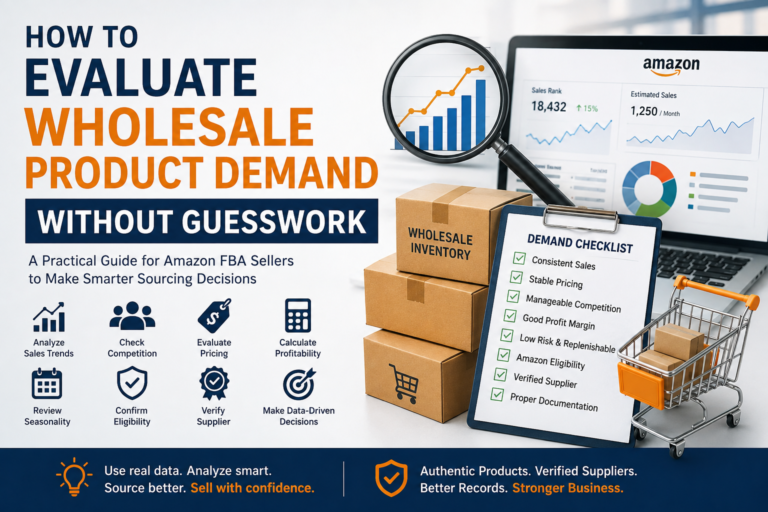
How Much Wholesale Inventory Should a New Amazon Seller Buy?

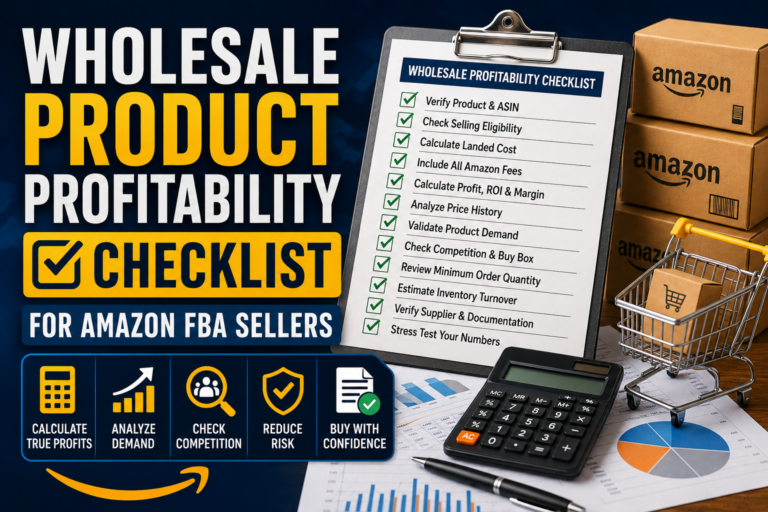
Buying your first wholesale inventory can feel like a balancing act. Purchase too little, and you may run out of stock just when the product starts selling. Purchase too much, and your cash could remain tied up in slow-moving inventory for months. New Amazon sellers often want a simple answer such as “buy 50 units” or “keep three months of stock.” Unfortunately, there is no universal number that works for every product. The right opening quantity depends on demand, competition, selling eligibility, available capital, supplier requirements and how quickly you can reorder. The goal is not to predict every sale perfectly. It is to place a controlled first order that gives you enough real data without exposing too much of your budget to one product. Quick Answer: How Much Wholesale Inventory Should a New Amazon Seller Buy? A new Amazon seller should generally buy enough wholesale inventory to cover a conservative test period, often around 30 to 45 days of expected sales, when supplier minimums allow it. Estimate your realistic share of monthly demand, reduce that estimate to account for uncertainty, and order only what your budget can support after fees, shipping and operating costs. For example, if you reasonably expect to sell 30 units per month, an initial order of approximately 30 to 45 units may be more sensible than immediately purchasing 100 or 200 units. This is not a fixed rule. The appropriate quantity varies by product, category, competition, seasonality, case-pack size and supplier minimum order quantity. What Determines the Right Wholesale Inventory Quantity? Wholesale inventory planning is the process of deciding how many units to purchase, when to reorder and how much capital to keep available for future opportunities. For a new seller, the first order has two purposes: The second purpose is often overlooked. Product research tools can estimate demand, but they cannot tell you exactly how frequently your offer will win the Buy Box, how quickly Amazon will receive the shipment or how the competition will respond after you enter the listing. Your own results will eventually provide better information, including: Your first order should therefore be large enough to produce meaningful results but small enough to limit the impact if the product performs below expectations. AI Snippet Answer: What Is a Safe First Wholesale Order? A safe first wholesale order is a controlled quantity based on conservative demand estimates, realistic competition and the seller’s available working capital. It should allow the seller to test sales without placing too much money into one ASIN. Why Inventory Quantity Matters for Amazon FBA Sellers Inventory decisions affect more than the number of units available for sale. They influence cash flow, profitability, storage costs and the seller’s ability to purchase other products. If too much capital is invested in one slow-moving product, you may not have enough money to reorder a stronger product. You may also face longer storage periods, price reductions and additional expenses related to removing or liquidating stock. Ordering too little also creates problems. Running out of stock can interrupt sales history, reduce momentum and leave customers buying from competing sellers. You may then have to wait for your supplier, prep center, carrier and Amazon receiving process before your offer becomes active again. Good inventory planning aims to find a practical middle ground: If you have already evaluated product demand and profitability, the next step is deciding how much of that product your business should own. Our earlier guides on evaluating wholesale product demand and using a wholesale product profitability checklist can help you complete those checks before setting an order quantity. Step-by-Step Guide to Calculating Your First Order 1. Confirm That You Are Eligible to Sell the Product Before calculating units, check the product in your own Amazon Seller Central account. Confirm whether the ASIN, brand, category and condition are open to your account. Some products may require additional documentation, compliance information or approval. Amazon requirements can vary by category, brand, ASIN, marketplace and seller account. A wholesale invoice may help support an approval request depending on Amazon’s requirements, but it does not guarantee approval. Do not purchase a large quantity based only on another seller’s experience. Eligibility can differ between accounts. 2. Estimate the Product’s Monthly Demand Use multiple signals to estimate how many units the listing may sell during a typical month: Avoid using one unusually strong week as the basis for your order. Review a longer period whenever possible so you can separate consistent demand from a temporary spike. 3. Estimate Your Realistic Share of Sales A listing’s total sales do not belong to one seller. Suppose a product is estimated to sell 600 units per month and has six competitive FBA sellers. Dividing 600 by six gives 100 units per seller, but that is only a rough starting point. Sales may not be shared equally because: As a new seller on the listing, it is usually safer to estimate your share conservatively. Instead of assuming 100 monthly sales, you might initially plan around 30 to 50 units until your account produces real data. 4. Choose a Test Period A controlled test period can help you avoid overcommitting capital. For many beginners, 30 to 45 days of conservative expected sales may provide a reasonable starting framework. Use this simple calculation: Initial order quantity = Conservative daily sales estimate × Test period If you expect to sell one unit per day: The final quantity must also account for case-pack sizes, minimum order requirements and lead times. If demand is uncertain or the selling price is unstable, choose a smaller test when possible. If the product has strong historical demand and a long replenishment lead time, slightly more coverage may be appropriate. 5. Consider Supplier Minimums and Case Packs Wholesale products are often sold by the case rather than as individual units. A supplier may require you to buy 12, 24 or 48 units per case. There may also be a minimum order value across your complete purchase. For example, your research

Read More »
Amazon FBA Inventory

Amazon FBA Inventory Planning for Wholesale Sellers: Complete Guide

Running an Amazon wholesale business is not simply about finding a profitable product and sending as many units as possible to FBA. One of the biggest ongoing challenges is deciding how much inventory to purchase, when to reorder, and how to keep enough stock available without tying up too much cash. Order too little and you may run out of stock while a product is selling well. Order too much and capital can become trapped in slow-moving inventory while storage and other inventory-related costs continue to accumulate. That is why Amazon FBA inventory planning should be treated as a core part of wholesale sourcing rather than something you think about after placing an order. A practical inventory plan combines sales demand, supplier lead times, existing stock, inbound units, seasonality, cash flow, and Amazon-specific considerations. When these factors are reviewed together, wholesale sellers can make purchasing decisions based on evidence rather than guesswork. If you are still deciding which wholesale products deserve your capital, start with our guide on how to evaluate wholesale product demand without guesswork before building your inventory plan. How Should Amazon FBA Sellers Plan Inventory? Amazon FBA wholesale sellers should plan inventory by estimating expected sales, calculating days of supply, monitoring supplier lead times, setting reorder points, and maintaining appropriate safety stock. A basic process looks like this: The objective is not simply to keep the maximum possible inventory in FBA. It is to maintain enough appropriate inventory at the appropriate time while protecting working capital. What Is Amazon FBA Inventory Planning? Amazon FBA inventory planning is the process of estimating how much inventory a seller will need and deciding when additional wholesale stock should be purchased and replenished. For a wholesale seller, inventory usually moves through several stages: Distributor → Seller or Prep Location → Amazon FBA → Customer Each stage takes time. This means an Amazon seller cannot wait until the final few units are left before placing another wholesale order. By the time the distributor processes the order, inventory is prepared, products are shipped, and Amazon receives the shipment, the existing stock could already be depleted. Effective inventory planning attempts to keep these timelines synchronized. The Main Components of an FBA Inventory Plan A useful inventory plan should consider: These factors are connected. Looking at only one number, such as last month’s sales, rarely provides enough information for a good purchasing decision. Why Inventory Planning Matters for Amazon FBA Wholesale Sellers Wholesale sellers often purchase products in larger quantities than retail arbitrage or online arbitrage sellers. As a result, an inventory mistake can affect a larger portion of the seller’s working capital. Consider a simple example. Suppose a product sells approximately 10 units per day and you currently have 300 sellable units. At the current sales rate: 300 units ÷ 10 units per day = approximately 30 days of supply Thirty days may initially sound comfortable. However, imagine your complete replenishment cycle—from placing a distributor order to having sellable units available at Amazon—takes around 20 days. You effectively have only about 10 days of additional inventory coverage before the replenishment timeline becomes tight. This is why inventory should be measured in days of supply, not only in total units. Inventory Planning Helps Protect Cash Flow Every unit sitting in inventory represents money that cannot immediately be used elsewhere. Overordering one SKU may prevent you from purchasing another attractive product or replenishing a faster-moving ASIN. Good inventory planning helps sellers balance two competing objectives: Availability: Keep enough inventory to support expected customer demand. Capital efficiency: Avoid purchasing significantly more inventory than the business can reasonably sell within the planned period. Before committing capital to a reorder, it is also useful to run the product through a profitability review. Our wholesale product profitability checklist for Amazon FBA sellers covers the major factors sellers should examine before increasing inventory exposure. Step-by-Step Amazon FBA Inventory Planning Guide Step 1: Calculate Your Current Sales Velocity Start by determining how quickly the product is actually selling. A simple calculation is: Average Daily Sales = Units Sold ÷ Number of Days For example, if you sold 240 units during the previous 30 days: 240 ÷ 30 = 8 units per day Do not automatically assume that eight units per day will continue indefinitely. Compare multiple periods when sufficient data is available, such as: This helps you identify whether sales are increasing, decreasing, stable, or being temporarily affected by a promotion or seasonal event. Step 2: Calculate Days of Supply Next, determine approximately how long your available inventory will last. Use: Days of Supply = Available Inventory ÷ Average Daily Sales If you have 400 units available and sell eight units per day: 400 ÷ 8 = 50 days of supply This number is much more actionable than simply knowing you have 400 units. Step 3: Determine Your True Replenishment Lead Time One common mistake is counting only the distributor’s shipping time. Your actual lead time may include: If the supplier ships in five days but the entire process takes 18 days, your inventory planning should be based closer to the full 18-day cycle, not five days. Keep records of actual lead times for each supplier. Real historical performance is generally more useful for planning than assuming every future order will follow an ideal timeline. Step 4: Establish a Reorder Point Your reorder point tells you when it is time to begin replenishment. A simple model is: Reorder Point = Expected Demand During Lead Time + Safety Stock Assume: Expected lead-time demand: 8 × 20 = 160 units Reorder point: 160 + 80 = 240 units Under this simplified example, you would consider reordering when inventory approaches approximately 240 units. The appropriate safety stock will vary by product, supplier reliability, sales volatility, seasonality, and the seller’s risk tolerance. Step 5: Account for Inbound Inventory Do not treat inbound units as if they do not exist, but do not treat them exactly like immediately sellable FBA inventory either. For example: On paper,

Read More »